Patch Management Software: What to Require
A critical vulnerability is only a theoretical risk until an attacker finds an unpatched system. After that, it becomes an operational problem: disrupted service, exposed customer data, incident response costs, and difficult questions from leadership or regulators. Patch management software gives businesses a disciplined way to identify missing updates, assess their relevance, and document remediation before known weaknesses become entry points.
For small and mid-sized organizations, the goal is not simply to install every update the moment it appears. Effective patching balances speed, business continuity, asset visibility, and clear accountability. The right process reduces exposure without creating avoidable downtime.
What Patch Management Software Should Do
At its core, patch management software should maintain an accurate view of the systems your organization is responsible for protecting. That includes employee endpoints, servers, network devices, virtual machines, operating systems, installed applications, and, where applicable, cloud workloads.
A useful platform does more than report that updates are available. It connects patch status to business context. A missing browser update on a retired test machine does not carry the same risk as an internet-facing server missing a patch for actively exploited remote code execution. Your team needs to see the difference quickly.
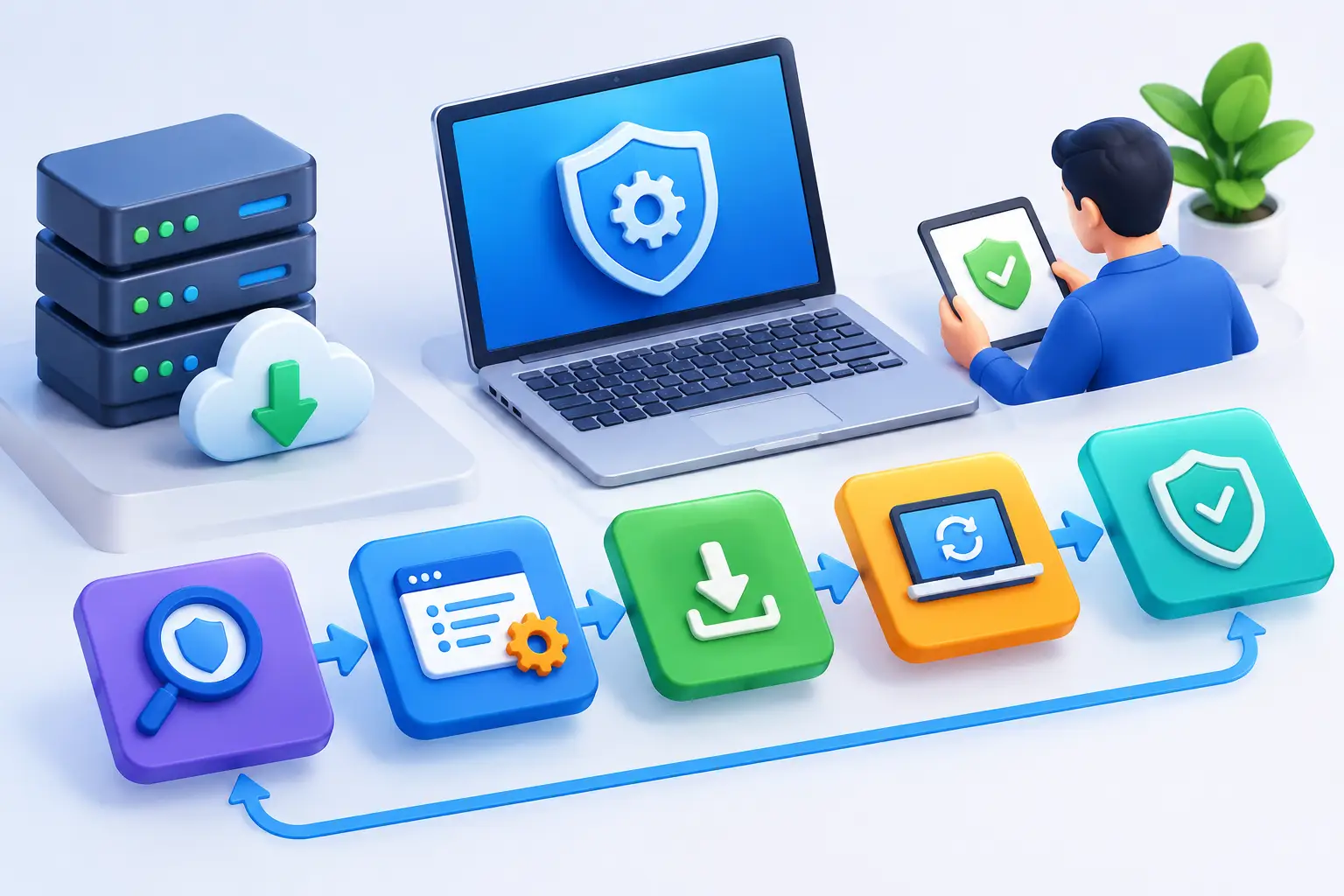
The most effective tools support a repeatable workflow: discover assets, identify missing patches, prioritize the associated risks, approve and deploy updates, verify results, and retain records. That workflow should be visible through a centralized dashboard and supported by reports that administrators and business stakeholders can understand.
Patch management also requires clear exception handling. Some systems cannot be updated immediately because of legacy applications, vendor support constraints, planned maintenance windows, or operational dependencies. Software should allow teams to document those exceptions, assign owners, set review dates, and apply compensating controls while a permanent fix is pending.
Why Patching Is a Business Control, Not Just an IT Task
Many organizations treat patching as background maintenance. That approach leaves too much room for uncertainty. When nobody can confirm which systems are exposed, which updates failed, or who owns remediation, a routine maintenance task becomes a security governance gap.
Known vulnerabilities are attractive to attackers because they lower the effort required to gain access. Attackers regularly scan for exposed services running outdated software, weak remote access configurations, and public-facing applications with unpatched components. A delayed patch does not guarantee compromise, but it extends the window in which compromise is possible.
Patching also affects compliance and customer trust. Security questionnaires, audits, and contractual requirements often ask whether a business has formal vulnerability and patch management procedures. A verbal assurance is rarely enough. Organizations need evidence of scans, remediation decisions, deployment results, exceptions, and recurring review.
This is why patching should be managed as an ongoing control with defined ownership. IT may deploy updates, but operations leaders need to approve downtime, compliance stakeholders need evidence, and executive teams need visibility into material risk. The process works best when each group can see the same current status without sorting through disconnected spreadsheets and email threads.
Prioritization Must Go Beyond Severity Scores
A high severity score deserves attention, but severity alone is not a patching plan. Businesses that patch strictly by score can spend time fixing low-exposure systems while more practical attack paths remain open.
Prioritization should consider whether a vulnerability is known to be exploited, whether the affected asset is internet-facing, what data or business processes it supports, and whether an attacker would need authentication or local access to exploit it. The age of the finding matters as well. A moderate issue left unresolved for months may present more concern than a new high-severity issue that is isolated and already scheduled for remediation.
Asset criticality is equally important. A missed patch on an executive laptop, production web server, identity system, email platform, or payment-related application can have a much greater impact than the same issue on a nonproduction device. Good patch management software should let teams organize systems by role, owner, location, environment, and business importance.
This context turns a long update list into an actionable remediation plan. Instead of asking, “What should we patch next?” teams can ask, “Which unresolved issue creates the greatest exposure to the business right now?”
Deploy Updates Without Creating New Disruption
Fast patching matters, especially for actively exploited vulnerabilities. But deploying updates without testing can interrupt essential services, break integrations, or create configuration conflicts. The practical answer is not to choose between security and stability. It is to establish different deployment paths based on risk.
For standard updates, organizations can use scheduled maintenance windows and phased deployment groups. Updates are first applied to a small set of representative systems, then expanded after validation. This approach helps identify compatibility problems before they affect a larger portion of the environment.
For urgent threats, the process should allow faster action. Define in advance who can authorize emergency patching, which systems can be patched outside normal windows, how stakeholders will be notified, and what rollback steps are available. Waiting to design that process during an active threat wastes valuable time.
Verification is often overlooked. A deployment status of “complete” does not always mean a patch took effect. Devices may have been offline, installation may have failed, a restart may still be required, or the asset inventory may be outdated. Confirm remediation through follow-up scanning and endpoint reporting rather than assuming the deployment tool closed the issue.
Capabilities to Evaluate Before You Buy
The best choice depends on the size and complexity of your environment, but several capabilities should be present before a business relies on a platform for patch governance:
- Asset discovery and inventory that identifies managed and unmanaged devices, installed software, and systems that have stopped reporting.
- Operating system and third-party application coverage because browsers, collaboration tools, remote access software, and common applications are frequent attack targets.
- Risk-based prioritization that combines vulnerability data with asset exposure, exploit activity, and business criticality.
- Deployment controls such as approval workflows, maintenance windows, pilot groups, reboot management, and rollback options.
- Reporting and audit evidence that shows patch status, failed deployments, overdue items, exceptions, and remediation trends over time.
- Integration with vulnerability scanning and monitoring so teams can validate exposure before and after an update is deployed.
Do not assume a tool covers every asset simply because it supports common desktop operating systems. Network appliances, specialized servers, cloud services, web applications, mobile devices, and legacy equipment may require separate processes. A complete program identifies these boundaries rather than leaving them unaddressed.
Common Gaps That Leave Businesses Exposed
The most damaging patch management failures are usually process failures, not a lack of available updates. One common gap is incomplete inventory. If a device, domain, application, or remote system is unknown, it cannot be patched consistently. The same is true for assets that remain in inventory after they are decommissioned, creating misleading compliance reports and wasted effort.
Another gap is focusing only on operating systems. Third-party applications can introduce significant exposure, particularly when they are broadly deployed and connect to external content or business data. Browser extensions, document readers, VPN clients, file transfer tools, and remote management software deserve the same review discipline as the operating system itself.
A third gap is treating exceptions as permanent. An exception may be justified, but it should have an owner, reason, compensating control, and expiration date. Without these controls, temporary risk acceptance quietly becomes an unmanaged security weakness.
Finally, organizations often measure activity instead of outcomes. Counting deployed patches is less useful than knowing how quickly critical vulnerabilities are remediated, how many internet-facing systems remain overdue, and whether failed deployments are resolved. Metrics should show risk reduction, not just workload.
Build a Patch Program That Can Be Defended
A defensible patch program starts with a written policy that defines asset scope, patch categories, remediation timelines, emergency procedures, testing expectations, approval authority, and exception management. The policy should be realistic enough to follow. A policy that requires every update within 24 hours may sound strong, but it will fail if the organization lacks the staffing, testing environment, or maintenance access to meet it.
Next, establish recurring review. Weekly operational reviews can address failed deployments and urgent findings, while monthly reporting can show aging vulnerabilities, exception status, asset coverage, and remediation performance. Continuous monitoring adds another layer of assurance by identifying new exposure as assets change, software is installed, or systems become externally reachable.
FortifyNET’s approach to security oversight aligns with this need for disciplined visibility: identify exposure, understand its business impact, document the remediation path, and verify progress over time. Patch management becomes more effective when it is connected to broader vulnerability assessment and clear reporting rather than operating as an isolated administrative function.
The strongest patching programs are not defined by how many updates they install. They are defined by how reliably they reduce known exposure, account for exceptions, and give decision-makers confidence that critical systems are being protected.