Internal Versus External Vulnerability Scanning
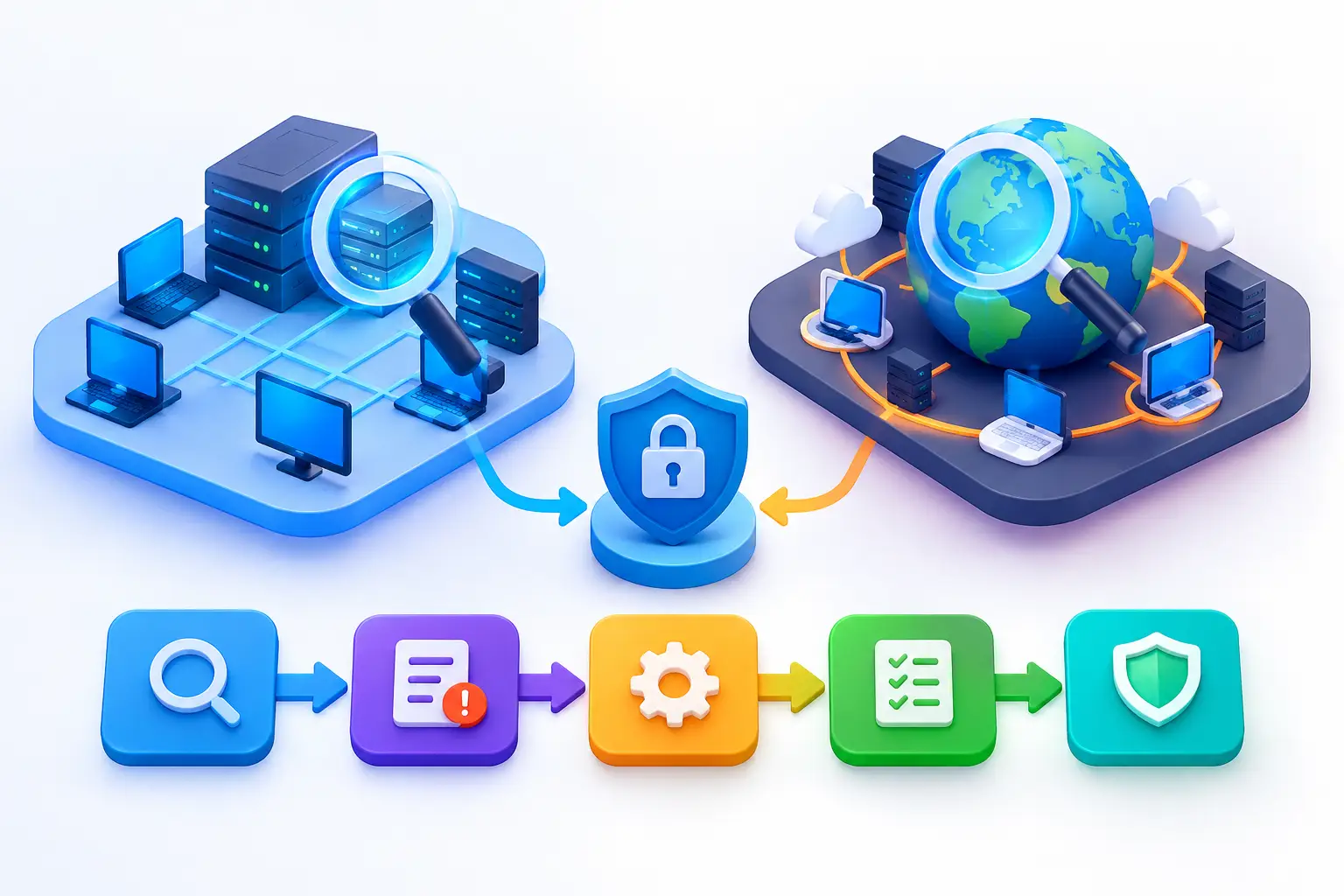
A business can have a well-protected website and still carry serious risk inside its network. That is why internal versus external vulnerability scanning is not a choice between two competing services. Each scan examines a different attack path, produces different evidence, and supports a more complete remediation plan.
External scanning shows what an attacker can see from the internet. Internal scanning shows what could happen after an attacker, compromised device, contractor account, or malicious insider gains a foothold. Organizations that rely on only one view often discover their blind spots after an incident, audit finding, or urgent customer security review.
What External Vulnerability Scanning Reveals
External vulnerability scanning evaluates internet-facing assets from outside the organization. This includes public websites, web applications, domains, VPN gateways, cloud-hosted services, exposed remote access tools, email infrastructure, and public IP addresses.
The scan uses an attacker-oriented perspective. It identifies services that respond to internet requests, checks them for known weaknesses, and looks for configuration issues that could expose systems unnecessarily. Common findings include outdated web server software, expired or misconfigured TLS certificates, accessible administrative interfaces, exposed databases, insecure email settings, and open ports that do not have a clear business purpose.
For many small and mid-sized businesses, this is the right place to start. Public-facing assets are constantly visible to automated scanners, opportunistic attackers, and targeted threat actors. A newly launched marketing site, forgotten subdomain, temporary cloud server, or remote management portal can become an entry point without anyone recognizing the exposure.
External scanning also helps organizations maintain an accurate inventory. If an asset is visible from the public internet, it should have an identified owner, a documented purpose, and a defined process for patching and monitoring. This is especially relevant for businesses that use multiple web vendors, cloud platforms, SaaS applications, and distributed IT teams.
What External Scanning Cannot Fully Show
An external scan has deliberate limits. It generally cannot inspect systems hidden behind firewalls, evaluate a workstation's patch level, or determine whether an internal server is using weak permissions. It may identify that a VPN gateway is exposed, but it cannot show whether a successful VPN user could move freely across sensitive systems.
External results can also require validation. A scanner may report a potential weakness based on a service banner or version signature, while compensating controls reduce the real-world risk. Conversely, a clean external result does not prove that a web application is free of logic flaws or that internal systems are secure.
What Internal Vulnerability Scanning Reveals
Internal vulnerability scanning assesses systems from within the network or from a controlled position with internal access. The scope can include employee endpoints, servers, network devices, printers, databases, file shares, virtualization platforms, and workloads in private cloud environments.
This perspective matters because many attacks do not end at the first compromised device. A phishing email, stolen password, infected laptop, or abused remote access account may give an attacker limited access. From there, the attacker looks for missing patches, shared local administrator credentials, insecure network services, weak segmentation, and systems that expose sensitive data.
A properly planned internal scan identifies these conditions before they are used to escalate access. It can reveal unsupported operating systems, unpatched software, weak encryption settings, unnecessary services, default credentials, and devices that have fallen outside normal IT management.
Credentialed internal scans can provide deeper insight than unauthenticated checks. With authorized access, the scanning process can verify installed software, patch status, local configuration, and certain policy settings. That reduces guesswork and helps distinguish a potential finding from a condition that is actually present on the host.
Internal Scans Need Careful Planning
Internal scanning should be coordinated with IT operations. Older applications, specialized hardware, industrial devices, and sensitive production systems may react poorly to aggressive testing. A disciplined engagement defines the scope, approved scan windows, scanning methods, exclusion list, escalation contacts, and rollback procedures before activity begins.
The goal is not to create disruption in pursuit of a report. It is to produce reliable findings that can be assigned, remediated, validated, and documented. For organizations with limited internal security staff, that structure is often as valuable as the scan itself.
Internal Versus External Vulnerability Scanning: Key Differences
The clearest difference is the attacker position. External scanning asks, “What can someone reach without trusted access?” Internal scanning asks, “What can someone reach after access has been established?” Both questions are essential, but they inform different security decisions.
External scanning is usually focused on exposure management. It helps reduce the number of public entry points, confirms that internet-facing services are configured correctly, and identifies vulnerabilities that may be exploited remotely. Internal scanning is focused on containment and resilience. It helps determine whether one compromised system can lead to broader business impact.
The asset scope differs as well. External scans center on public domains, applications, cloud services, and IP addresses. Internal scans reach deeper into the business environment, where critical systems may never be exposed to the internet but can still be vulnerable to lateral movement.
Remediation ownership may also vary. A public web server finding might belong to a hosting provider, web development team, or cloud administrator. An internal finding might require endpoint management, network engineering, identity administration, or an outside managed service provider. Clear reports should identify the affected asset, evidence, risk level, recommended action, and responsible owner so findings do not stall between teams.
Why One Scan Type Is Not Enough
External-only scanning can create false confidence. A company may close unnecessary ports, patch its web server, and receive a favorable external report while internal systems remain outdated or overly connected. If one user account is compromised, those internal weaknesses may enable rapid escalation.
Internal-only scanning has the opposite problem. It can uncover every unpatched server in the office or private network while overlooking a forgotten public subdomain or exposed cloud storage service. Those assets may be reachable by anyone, including attackers who have not yet interacted with the organization.
The right approach depends on your environment, but most businesses need both views. A company with no office network and a fully cloud-based workforce may place greater emphasis on external assets, identity controls, endpoint management, and SaaS configuration. A business with on-premises servers, payment systems, operational technology, or multiple physical locations will typically need more frequent internal visibility as well.
Building a Practical Scanning Program
A useful scanning program starts with asset ownership, not software selection. Identify the domains, public IPs, applications, cloud accounts, endpoints, servers, and network devices that support the business. Then classify which assets are internet-facing, which hold sensitive information, and which would interrupt operations if they failed.
Next, establish a cadence that reflects change and risk. Public exposure should be monitored continuously or scanned frequently because new services, certificate changes, domain updates, and configuration drift can occur without notice. Internal scans are often scheduled monthly or quarterly, with additional scans after major infrastructure changes, acquisitions, network redesigns, or high-risk vulnerability disclosures.
A scan without a remediation workflow becomes a growing list of unresolved alerts. Findings should be prioritized by more than a generic severity score. Consider whether the asset is internet-facing, whether exploit activity is known, whether sensitive data is involved, whether compensating controls exist, and whether the affected system is business-critical.
For example, a critical vulnerability on an exposed VPN appliance deserves immediate attention. A medium-severity issue on an isolated test server may be scheduled within a defined maintenance window. Both require accountability, but they do not carry the same urgency.
Turn Findings Into Documented Action
Effective reporting gives leadership and technical teams different levels of detail. Business stakeholders need to understand risk, status, ownership, and overdue remediation. Administrators need affected hosts, technical evidence, remediation guidance, and validation results.
After fixes are applied, rescan the affected assets. This confirms that the vulnerability is no longer present and identifies cases where a patch was incomplete, a system was missed, or a configuration was not applied as intended. Exception decisions should also be documented with a business reason, compensating controls, an approval owner, and a review date.
Continuous monitoring brings this process together. It helps detect new exposure between formal assessments and gives teams a centralized record of what was found, what was fixed, and what still requires attention. FortifyNET supports this operational model by combining security analysis, actionable remediation planning, and ongoing visibility across web and network environments.
Security visibility is most valuable when it leads to a clear next action. Review what is exposed, verify what is reachable internally, assign remediation with realistic deadlines, and validate the result. That discipline gives your organization a more defensible security posture than any single scan can provide.